
If your Keurig K-Mini (ASIN: B07GV2S1GS) isn’t turning on, it can be frustrating, especially when you want your morning coffee. Often, the problem is simple to fix with some basic troubleshooting steps. This guide will walk you through the necessary actions to identify and resolve power issues safely and effectively.
Before you start, ensure your coffee maker is unplugged to avoid electrical hazards. Gather any tools you might need, such as a towel or a small screwdriver, and proceed carefully through each step.
Key Takeaways
| Power check | Ensure the outlet and power cord are functioning properly. |
| Reset the machine | Unplug and wait before plugging back in to reset the electronics. |
| Inspect for damage | Look for visible damage or loose connections. |
| Clean the contacts | Dirty or corroded contacts can prevent power flow. |
| Contact support | If unresolved, seek professional assistance. |

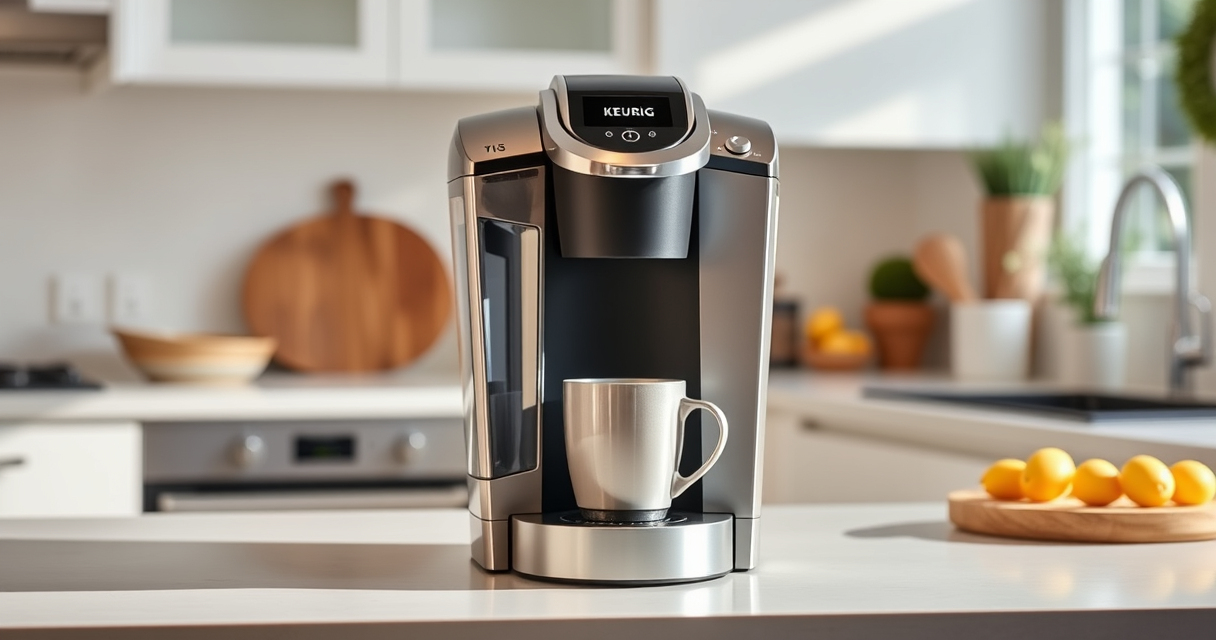
Keurig K-Mini Single Serve K-Cup Pod Coffee Maker, 6 to 12oz Brew size, with Cord Storage, Perfect for Small Spaces, Black
FITS ANYWHERE: Less than 5 inches wide, perfect for small spaces.
As an affiliate, we earn on qualifying purchases.
Step 1: Verify Power Source
- Unplug your Keurig K-Mini from the power outlet.
- Test the outlet with another device to confirm it has power.
- If the outlet is working, plug the Keurig back in firmly.
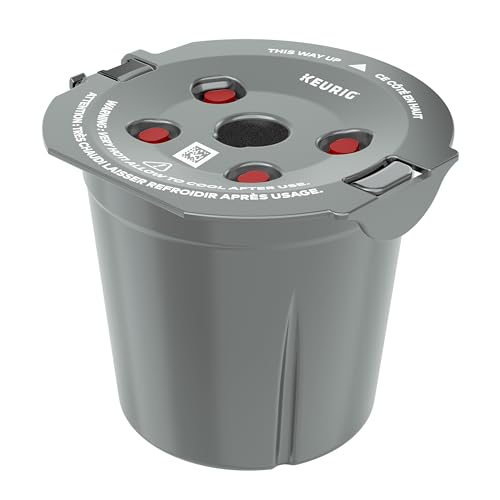
My K-Cup® Reusable Coffee Filter
BREW WITH GROUND COFFEE: Brew a single cup using your own favorite ground coffee
As an affiliate, we earn on qualifying purchases.
Step 2: Check the Power Cord and Connections
- Inspect the power cord for any visible damage, frays, or cuts.
- Ensure the cord is securely connected to the machine and outlet.
- If damaged, replace the cord or contact support for repair options.
Step 3: Reset the Coffee Maker
- Unplug the Keurig and wait for about 5 minutes.
- Press and hold the power button for 10 seconds to discharge residual power.
- Plug it back in and try turning it on again.
Step 4: Inspect for Internal Damage or Obstructions
- Carefully open the machine’s access panel if possible (refer to your model’s manual).
- Look for any loose wires or visible damage inside.
- Ensure no debris or residue is blocking any internal contacts.
Step 5: Seek Professional Help
If the machine still won’t power on after these steps, contact Keurig customer support or a qualified technician for further assistance. Do not attempt to open or repair internal components beyond your comfort level, as this could void your warranty or cause injury.
The Products in This Guide

Keurig K-Mini Single Serve K-Cup Pod Coffee Maker
- ✔ Weight: 4.6 pounds
- ✔ Material: Matte finish
- ✔ Warranty: 1-year limited

My K-Cup® Reusable Coffee Filter
- ✔ Weight: 2.4 ounces
- ✔ Color: Black
- ✔ Warranty: NA
Keurig K-Mini Single Serve K-Cup Pod Coffee Maker
The Keurig K-Mini Single Serve K-Cup Pod Coffee Maker is a compact, efficient machine perfect for small spaces. It brews quickly and easily, but power issues can sometimes occur, which are usually simple to troubleshoot.
Pros:
- Fits in tight spaces
- Brews 6-12oz cups
- Removable drip tray
- Auto off feature
Cons:
- Limited to small capacity
- No on/off switch
- Requires regular descaling
Best for: Small kitchens, dorm rooms, offices
Not ideal for: Large volume coffee needs, multi-user households
Bottom line: A compact, efficient coffee maker ideal for small spaces, with straightforward troubleshooting for power issues.
My K-Cup® Reusable Coffee Filter
The My K-Cup® Reusable Coffee Filter allows you to brew your favorite ground coffee with your Keurig, adding versatility and reducing waste. It’s compatible with the K-Mini and other models, making it a useful accessory.
Pros:
- Brew with ground coffee
- Eco-friendly and cost-saving
- Easy to use and clean
- Compatible with multiple models
Cons:
- Requires manual filling
- Potential for clogging if not cleaned
- Limited to ground coffee only
Best for: Coffee enthusiasts wanting customization
Not ideal for: Single-use K-Cup convenience seekers
Bottom line: A versatile reusable filter that enhances your brewing options with ground coffee.
Frequently Asked Questions
Why won’t my Keurig K-Mini turn on?
Common reasons include a faulty power outlet, damaged power cord, internal electrical issues, or a need for resetting or descaling. Follow the troubleshooting steps outlined above to diagnose the problem.
How do I reset my Keurig K-Mini?
Unplug the machine, wait about 5 minutes, then press and hold the power button for 10 seconds. Plug it back in and try turning it on again.
What should I do if the power cord is damaged?
Do not attempt to repair the cord yourself. Contact Keurig customer support or a qualified technician to replace or repair the cord safely.
Can I fix internal damage myself?
Internal repairs are best handled by professionals. If you suspect internal damage, contact Keurig support for guidance or warranty service.
Getting Your Keurig K-Mini Back in Action
While a non-responsive Keurig K-Mini can be concerning, most power issues are straightforward to identify and fix. Always start with basic checks like outlets and cords, then proceed to resets and cleaning. If problems persist, professional help is recommended to avoid further damage. With proper care, your Keurig can provide reliable service for many mornings to come.
Affiliate disclosure: As an Amazon Associate we earn from qualifying purchases. Prices and availability are accurate as of the time of publishing.